
Responding to a recent question –
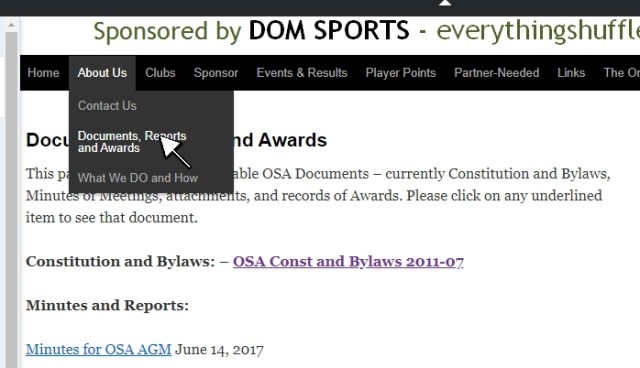
As shown in this image …
(a) Rest your cursor on the Black-Bar Menu item About Us, to get the drop-down menu shown.
(b) Move your cursor down and click on the item Documents, Reports and Awards.
(c) Click on the item OSA Const and Bylaws 2011-07
Discover more from Ontario Shuffleboard News and Information
Subscribe to get the latest posts sent to your email.


 Ontario Shuffleboard News and Information